Lightings on Asset Viewer
2026-07-27 · New Feature
Your assets no longer live under one fixed light. The viewer now has a lighting control — pick the environment, spin the light, and see your asset the way it deserves to be seen.
What's New
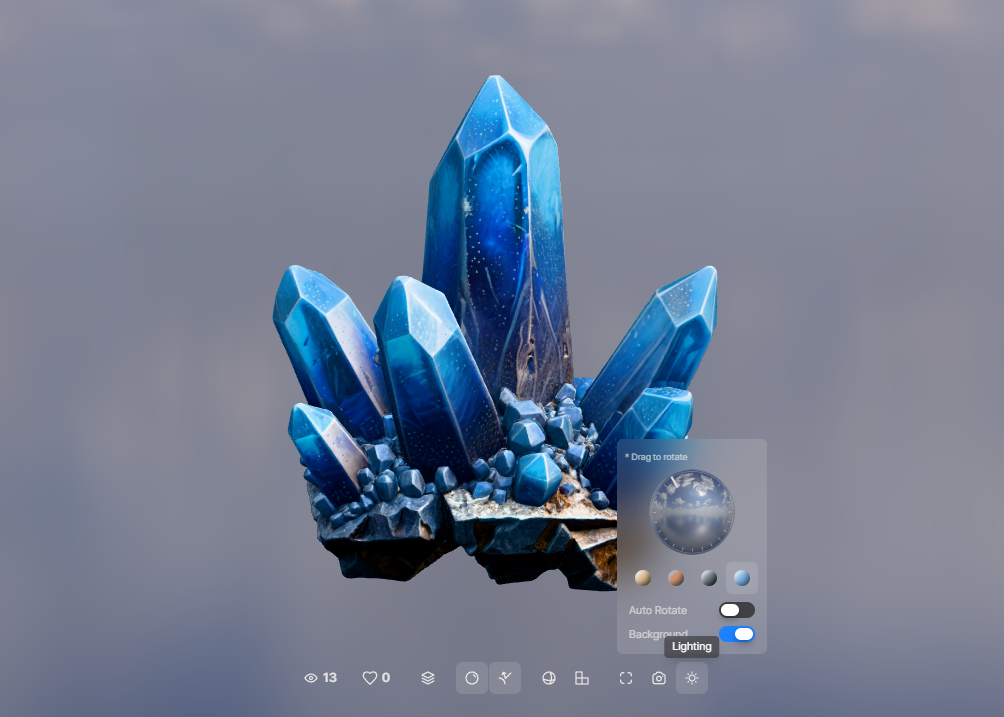
- Four lighting environments — a new Lighting button in the viewer opens a popover with four environments: Interior, Sunset, Studio, and Daylight. Every asset — PBR or not — is now lit by real image-based lighting, so materials react to the world around them.
- Spin the light — drag the rotation dial to move the light around your asset, or flip on Auto Rotate and let the highlights sweep by themselves. Perfect for checking how materials catch the light from every angle.
- Show the backdrop — the Background toggle puts the environment itself behind your asset, turning the viewer into an instant showcase scene.
- It remembers your pick — choose an environment once and every viewer keeps using it, across assets and sessions.
Why It Matters
Lighting is half of what makes a 3D asset look real. A metal that never reflects, a sunset that never happens — you couldn't see any of it before. Now you audition your asset under four different worlds in two clicks, and catch exactly how it will look in yours.