Bulk edge movement on Custom Workflow
2026-07-27 · Improvements
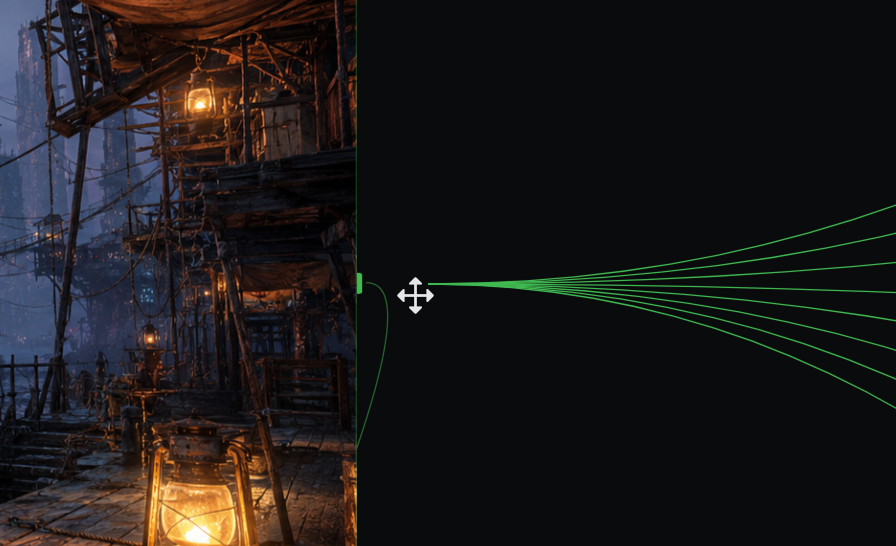
Rewiring a workflow used to mean deleting connections and drawing them again, one by one. Now you just pick them up and move them.
What's New
- Drag a connection to a new port — grab the end of any edge on the Custom Workflow canvas and drop it on another compatible port. No more delete-and-redraw.
- Move connections in bulk — select multiple edges, drag one of them, and the whole selection moves together to the new port in a single gesture.
- All-or-nothing safety — before anything lands, every connection in the bundle is validated against the target port (type match, port capacity). If even one doesn't fit, they all snap back exactly where they were — your graph never ends up half-rewired.
- One undo, whole move — a bulk move is a single history step. Ctrl/Cmd+Z puts everything back at once.
Why It Matters
Restructuring a big workflow — swapping an image source, rerouting a whole branch into a different node — used to be the most tedious part of canvas editing. Now it's one drag: pick up the wires, drop them where they belong, and undo it just as easily if you change your mind.