Better Humanoid Rigging
2026-06-23 · Improvements
AI Rig has been improved for humanoid characters with more varied shapes and proportions.
Previously, characters that were not close to a standard human body could sometimes get awkward shoulder lines, misplaced pelvis positions, or unstable animation results. This update makes rigging more reliable for stylized humanoid characters such as rabbits, fairies, fantasy avatars, and compact or exaggerated body types.
What's New
- Cleaner rest pose alignment helps the character start from a better body pose before animation is applied.
- More accurate shoulders and pelvis placement reduces awkward offsets on stylized humanoid characters.
- Better head and upper-body motion helps animations feel more natural after retargeting.
- Improved arm and leg alignment makes motion transfer more stable across different body proportions.
- Reduced foot sliding helps grounded animations feel cleaner.
Before / After
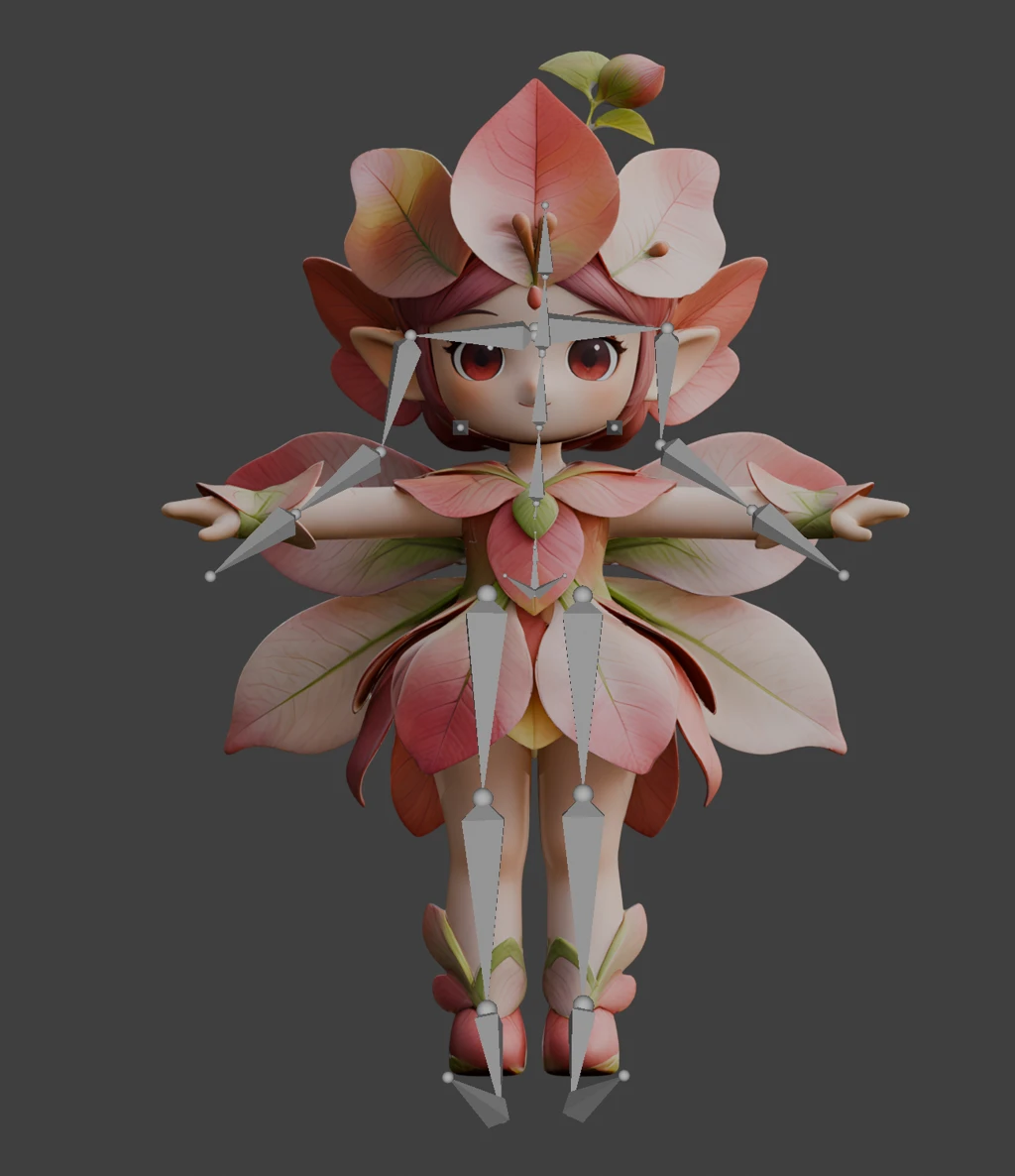
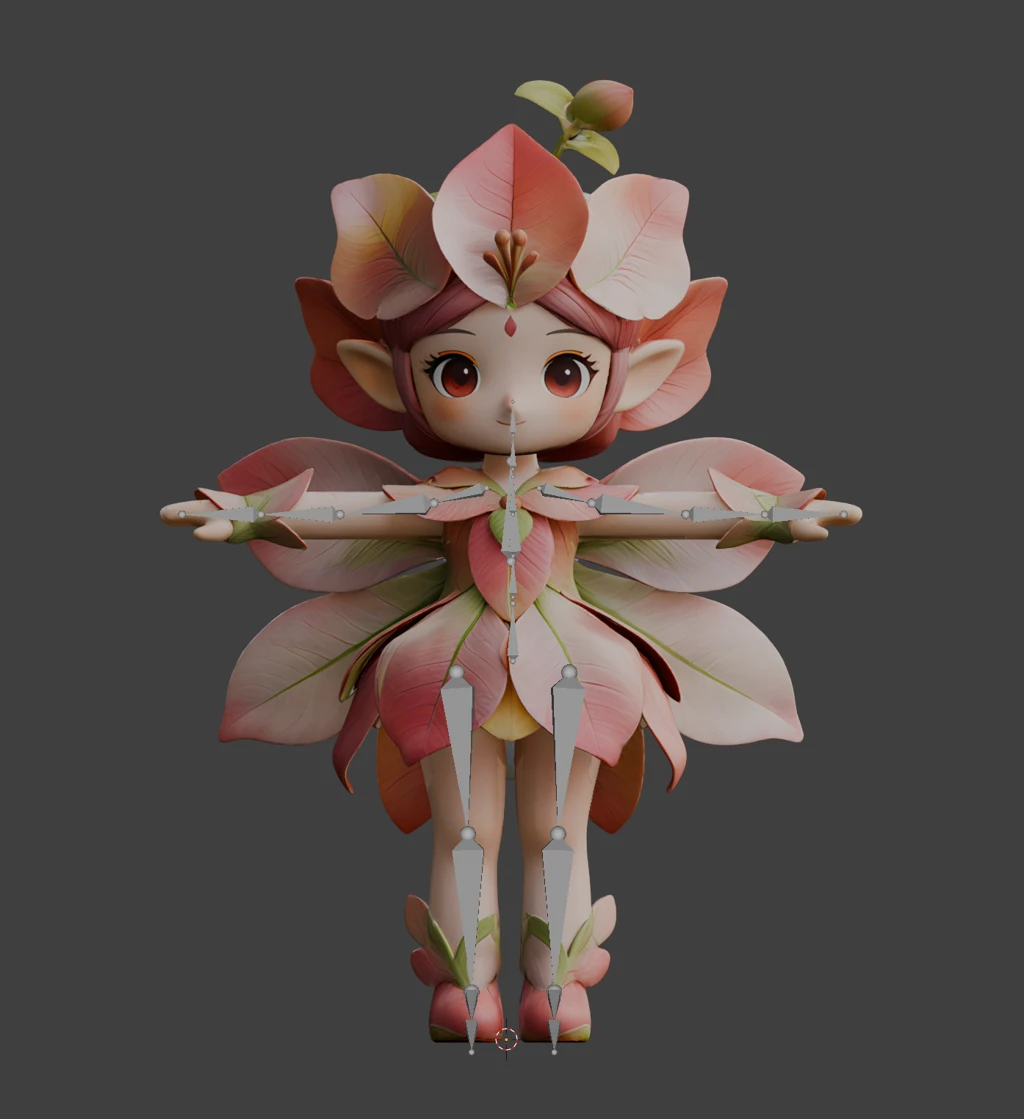
Why It Matters
- Your character no longer needs to match a perfect human body shape to get a cleaner rig.
- Stylized humanoid characters can keep more of their intended shape while still becoming animation-ready.
- Animations should look more stable across the upper body, hips, arms, legs, and feet.
- This means less cleanup before moving from rigging to animation.
How to Use
- Open Animation Studio.
- Choose a humanoid character asset.
- Click Rig with AI.
- Apply an animation as usual.
Better rigs for more character shapes. More stable motion for the animations that come next.